


Kubernetes turns 12 this year. In that time, it’s gone from a Google side project to the operating system of modern infrastructure running everywhere from mainframes to GPUs, across multi-cloud, hybrid, on-prem, and edge environments. The CNCF landscape has grown alongside it, filling in the gaps that Kubernetes left open.
This blog isn’t about all of those gaps. It’s about one specific intersection: lightweight Kubernetes with K3s on an on-premise infrastructure (in this case Proxmox) and declarative multi-cluster management with k0rdent.
If you’ve run Kubernetes on on-prem infrastructure, you know the pain:
- Manual VM creation
- Bash scripts that only you understand
- Clusters that work once, and then become untouchable
We wanted something declarative, repeatable, and clean, but still friendly to an on-prem setup. That’s where k0rdent, Proxmox, and K3s came together.
In this blog, we’ll walk through how we curated a use case for provisioning and used k0rdent to provision a K3s cluster on an On-premise environment by writing our own Helm charts and using k0rdent’s Bring Your Own Template (BYOT) approach. This isn’t a theoretical post, this is exactly how our cluster gets created.
The Big Picture
Here’s what we set out to build:
- Many end-users host their infrastructure layer on-premise, let us build that for you.
- Existing VM templates instead of building images every time
- k0rdent managing the full cluster lifecycle
- K3s as the Kubernetes bootstrap
At a high level, the flow looks like this:
User → k0rdent
↓
Proxmox Infrastructure (BYOT VMs)
↓
Control Plane Provider
↓
Bootstrap Provider (K3s)
↓
Running Kubernetes Cluster
Each layer does one job, and does it well.
Why On-Prem + k0rdent Makes Sense
Proxmox is one of the examples of a self-hosted environment, but Kubernetes on-prem often ends up being hand-crafted, hard to scale, and harder to reproduce.
k0rdent changes that mindset. Instead of scripting how things should happen, you describe what you want and let reconciliation do the work.
k0rdent offers a clear separation of concerns:
- Infrastructure — provision the VMs
- Control Plane — configure the cluster topology
- Bootstrap — install and initialise Kubernetes
That separation made Proxmox integration surprisingly clean.
Step 1: Infrastructure Provider (BYOT)
k0rdent doesn’t ship with a native Proxmox provider, so we built one.
We created a custom Helm chart that acts as an Infrastructure Provider for Proxmox.
Why Bring Your Own Template?
Instead of dynamically building VM images on every provision, I used existing Proxmox VM templates. My templates already had cloud-init enabled, SSH access configured, and base OS packages installed.
This gave me:
- Faster VM provisioning — no image builds in the critical path
- Better control over OS hardening — managed outside the Kubernetes workflow
- Easier debugging — when something goes wrong, the VM layer is a known quantity
What the Helm Chart Does
The Proxmox infrastructure chart is intentionally scoped — it only handles infrastructure:
- Talks to the Proxmox API
- Clones VMs from a template
- Sets CPU, memory, and networking
- Injects SSH keys
- Outputs VM metadata back to k0rdent
No Kubernetes logic here. Just clean VM provisioning.
Step 2: Control Plane Provider
Helm charts for the Proxmox provider are available here: https://github.com/Improwised/charts/tree/main/charts/cluster-api-provider-proxmox
Once the VMs exist, the Control Plane Provider takes over. Its job is to:
- Decide which nodes are control plane nodes
- Apply cluster-level configuration
- Coordinate with the bootstrap provider
In our setup, control plane nodes run on Proxmox VMs, with VM details flowing directly from the infrastructure provider.
Roles are assigned declaratively, the cluster feels intentional, not accidental.

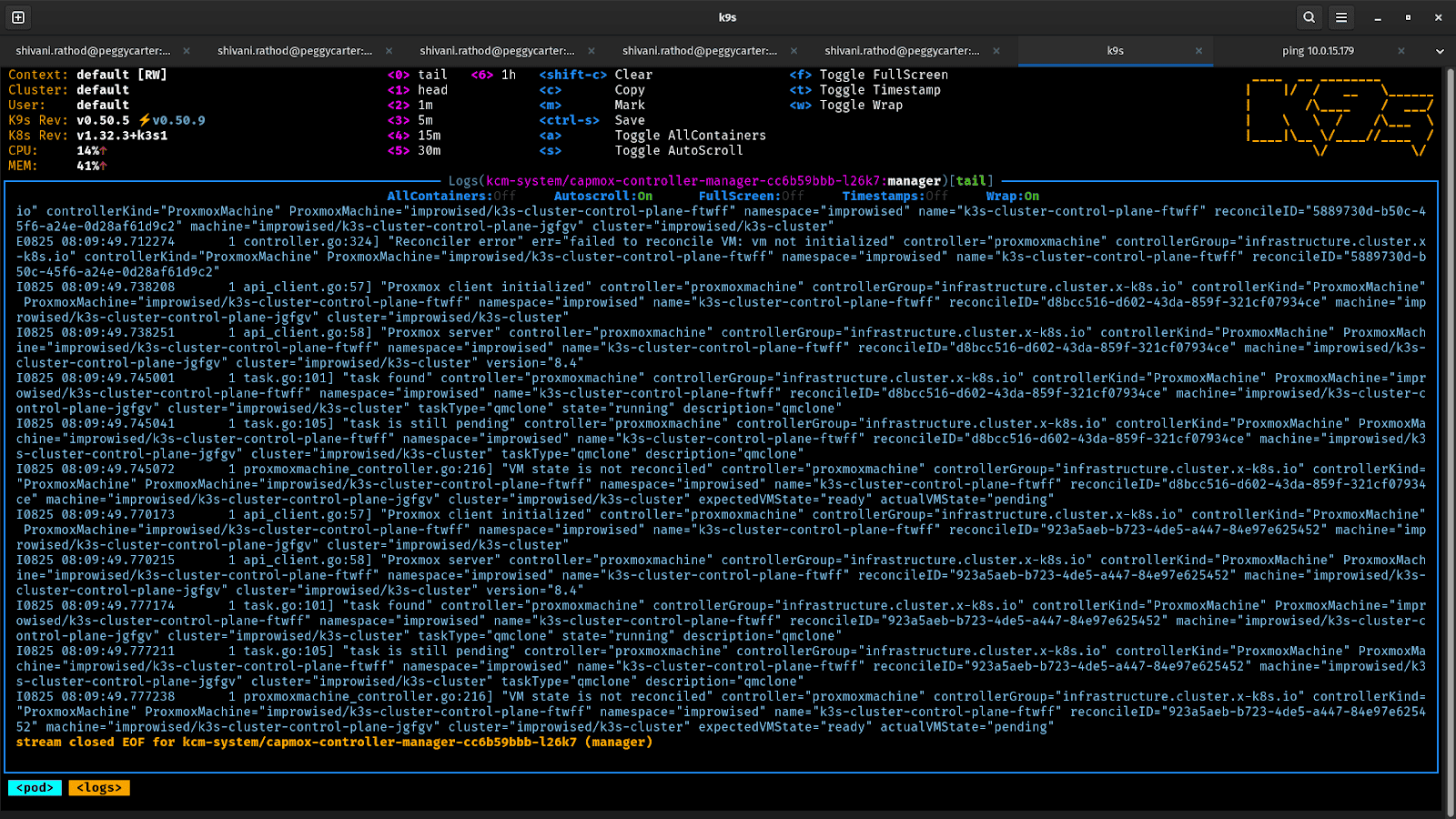
Step 3: Bootstrapping Kubernetes with K3s
For bootstrapping, I chose K3s — and it fits perfectly here.
Why K3s? It’s lightweight, fast to install, has minimal dependencies, and is purpose-built for on-prem and edge environments.
Here’s what the provider definitions look like:
apiVersion: operator.cluster.x-k8s.io/v1alpha2

kind: BootstrapProvider

metadata:

  name: k3s

spec:

  version: v0.3.0

  fetchConfig:

    url: https://github.com/k3s-io/cluster-api-k3s/releases/v0.3.0/bootstrap-components.yaml

  {{- if .Values.configSecret.name }}

  configSecret:

    name: {{ .Values.configSecret.name }}

    namespace: {{ .Values.configSecret.namespace | default .Release.Namespace | trunc 63 }}

  {{- end }}
—
apiVersion: operator.cluster.x-k8s.io/v1alpha2

kind: ControlPlaneProvider

metadata:

  name: k3s

spec:

  version: v0.3.0

  fetchConfig:

    url: https://github.com/k3s-io/cluster-api-k3s/releases/v0.3.0/control-plane-components.yaml

  {{- if .Values.configSecret.name }}

  configSecret:

    name: {{ .Values.configSecret.name }}

    namespace: {{ .Values.configSecret.namespace | default .Release.Namespace | trunc 63 }}

  {{- end }}
What the Bootstrap Provider Does
The Bootstrap Provider Helm chart handles the K3s lifecycle:
- Installs K3s on the first control plane node
- Extracts the cluster token
- Joins additional control plane and worker nodes
- Generates kubeconfig access
Once this step completes, Kubernetes is up and running.
How k0rdent Ties It All Together
By using this method, the system continuously reconciles the desired state:
- Provisions Proxmox VMs
- Waits for them to become reachable
- Passes VM data to the control plane provider
- Triggers the K3s bootstrap process
- Keeps watching — and corrects drift
The result: a fully declarative and managed K3s cluster on your on-premise environment.
What You End Up With
After everything settles, you have:
- A working K3s cluster running on On-prem VMs
- Control plane and worker nodes provisioned declaratively
- A setup you can recreate, scale, or tear down at any time
Scaling the cluster is no longer a weekend project. Rebuilding it is no longer terrifying. It’s just configuration.
Running Kubernetes on-prem doesn’t have to mean duct tape and bash scripts. With k0rdent’s BYOT approach, your On-prem infrastructure becomes a first-class citizen; declarative, reproducible, and treated as a first-class citizen.. If your infrastructure isn’t supported out of the box, build the template. That’s the whole point.