

Following our expansion into AI workflows in v2.0, Lima v2.1(beta now, will reach GA by the date of KubeCon) introduces highly anticipated experimental support for macOS and FreeBSD guests and further hardens local environments against unpredictable AI agents.
What is Lima ?
Lima (Linux Machines) is a command-line tool to launch local virtual machines. Originally focused on running containers on a laptop and promoting containerd to Mac users, Lima joined the CNCF as a Sandbox project in September 2022 and was promoted to Incubating in October 2025. Today, Lima supports a wide variety of non-container workloads, non-macOS hosts, and robust AI sandboxing.
If you are using Homebrew, Lima can be installed using:
brew install limaFor other installation methods, see https://lima-vm.io/docs/installation/.
Updates in v2.1
macOS guests (experimental)
One of the most requested features is finally here: Lima now experimentally supports running macOS guests using the `vz` driver on macOS. This expands Lima’s utility beyond Linux virtual machines, allowing developers to easily spin up isolated macOS environments for testing, building, or running platform-specific workloads.
To create and start a macOS guest, simply run:
limactl start template:macosThe user password is randomly generated and stored in the `~/password file` in the VM. Consider changing it after the first login:
limactl shell macos cat /Users/${USER}.guest/password

Note: It requires an Apple Silicon Mac as a host machine to work.
FreeBSD guests (experimental)
Lima v2.1 also introduced support for FreeBSD guests, another requested feature by our community.
To launch a FreeBSD environment, simply run:
limactl start template:freebsd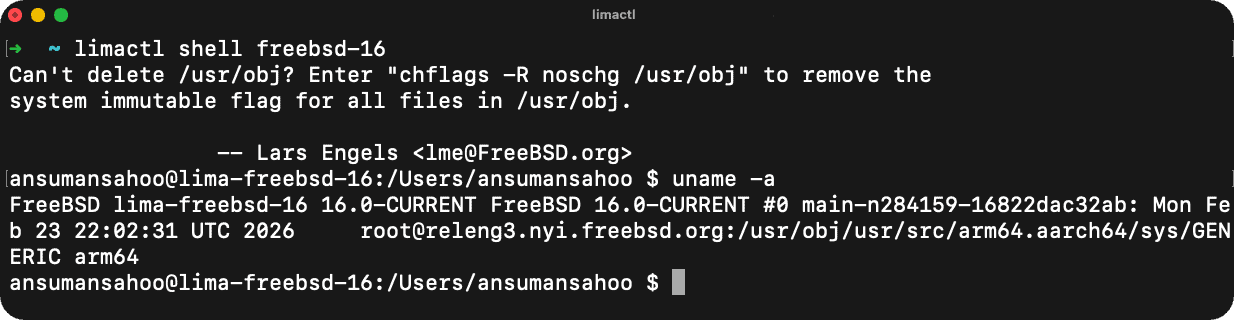
AI Safety: limactl shell –sync
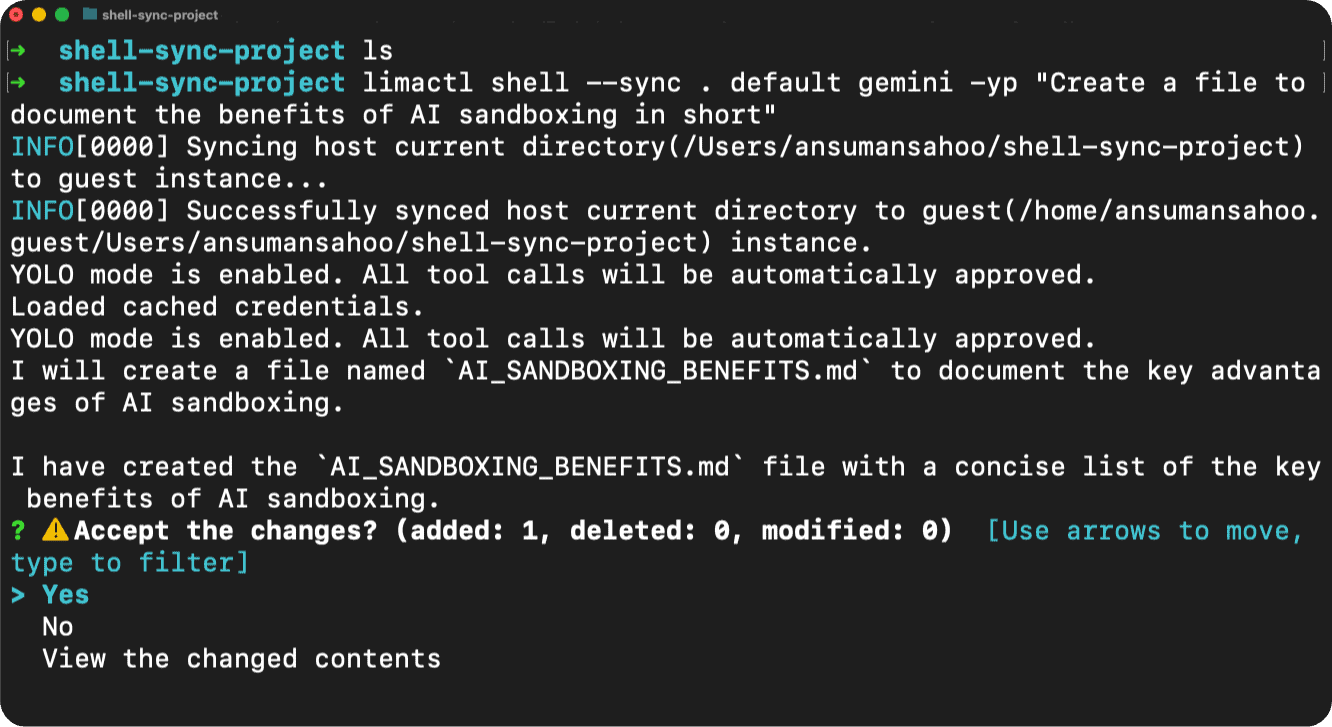
Lima v2.1 introduces the `limactl shell --sync`command. When giving an AI agent access to your files, directly mounting host directories can be risky if the agent hallucinates or makes destructive edits. The `–sync` flag provides a safer alternative, preventing AI agents from breaking host files by utilizing a synchronized approach rather than a direct, unrestricted live mount.
1.Create a fully isolated instance Use the `--mount-none`flag to boot a sterile environment:
limactl start --mount-none template:default2. Navigate to your project on the host:
cd ~/my-project3. Run your AI agent using the sync flag You can pass a command directly to an agent (like Claude, Aider, or Gemini) through the synced shell:
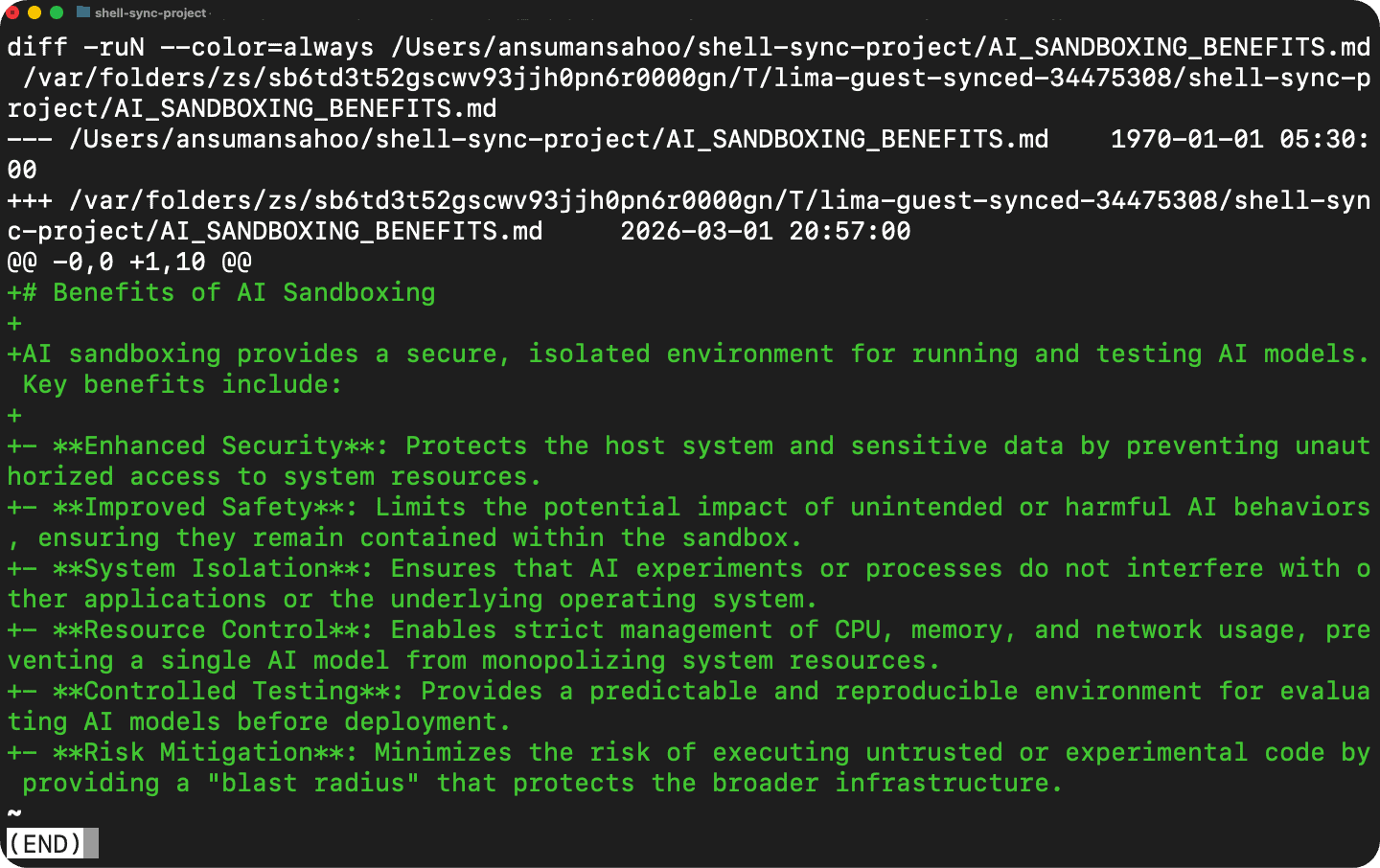
limactl shell --sync . default claude "Add error handling to all functions"4. Review and Accept Changes Once the agent finishes its work and exits, Lima will intercept the process and present you with an interactive safety prompt on your host terminal:
⚠️ Accept the changes?
 → Yes
   No
   View the changed contents
Performance and efficiency improvements
Lima v2.1 brings optimizations to make Lima leaner and faster:
- Reduced Guestagent footprint: We have significantly optimized the guestagent binary, reducing its size by more than half (from 14MB down to 6.1MB).
- Disk consolidation: The
`basedisk`and`diffdisk`have been consolidated into a single disk file for better internal efficiency. - Host-to-guest time synchronization: A new hostagent feature ensures tighter time synchronization between the host and the guest OS.
Other improvements
- New CLI Commands: Added the
`limactl watch`command to monitor Lima instances. - Guest Directory Standardization: The guest home directory path has been changed from
`/home/${USER}.linux`to`/home/${USER}.guest`. For compatibility, the old path is symlinked to the new one. - Template Updates: The
`k3s`template now supports creating multi-node clusters. Additionally, the `debian-11`template has been restored. - Project Governance: We are excited to announce that Norio Nomura (github.com/norio-nomura) has been promoted to a Committer. Thank you for your continued dedication!
Catch us at KubeCon + CloudNativeCon Europe 2026!
The Lima team is heading to Amsterdam! If you’re attending KubeCon EU this March we’d love to connect and discuss these exciting new features and the future of local AI sandboxing.
Conference Session: Lima Project Updates: Expanding the Focus To Hardening AI
– Speakers: Akihiro Suda (NTT) & Ansuman Sahoo (BITS Pilani)
– When: Wednesday, March 25, 2026 | 11:00 – 11:30 CET
– Where: Amtrium 1+2
Project Pavilion Kiosk:
– When: Wednesday, March 25, 2026 | 14:00 – 17:00 CET
– Where: Halls 1-5 | Project Pavilion | Kiosk: P-24B
See also: