
Access control belongs on the same day-zero checklist as networking and storage.
On most on-prem clusters, it never makes the list.
The Identity Gap
Managed cloud Kubernetes ships IAM or SSO integration out of the box. Self-hosted clusters don’t. Access defaults to a static client certificate or a long-lived token, issued once and rarely revisited. That certificate keeps working long after the person it was issued to has left, changed roles, or lost the device it lives on. Nothing in the cluster’s authentication path checks whether they should still have access. Revoking it means finding every copy of a file, and in practice, that doesn’t happen completely. The moment more than one or two people need different levels of access, managing that per person, per file, becomes its own ongoing job.
Put an identity provider (Keycloak or any OIDC-compliant provider) in front of the cluster instead. Access should follow an account and its group membership, not a certificate file. Configure it with a public OIDC client using PKCE, not a confidential client with a secret. Access changes become identity operations: add someone to a group, remove someone from a group. No file distribution required.
Architecture: three moving parts
The integration has three components that need to agree with each other:
- kubectl, with the kubelogin exec plugin. Starts the login, gets a token from the identity provider, and attaches it to every API request.
- The identity provider (Keycloak). Authenticates the user and issues an ID token carrying their username and group membership.
- kube-apiserver, configured with
--oidc-issuer-url,--oidc-client-id,and--oidc-groups-claim. Validates the token, extracts username and groups, and lets RBAC decide what that identity can do.
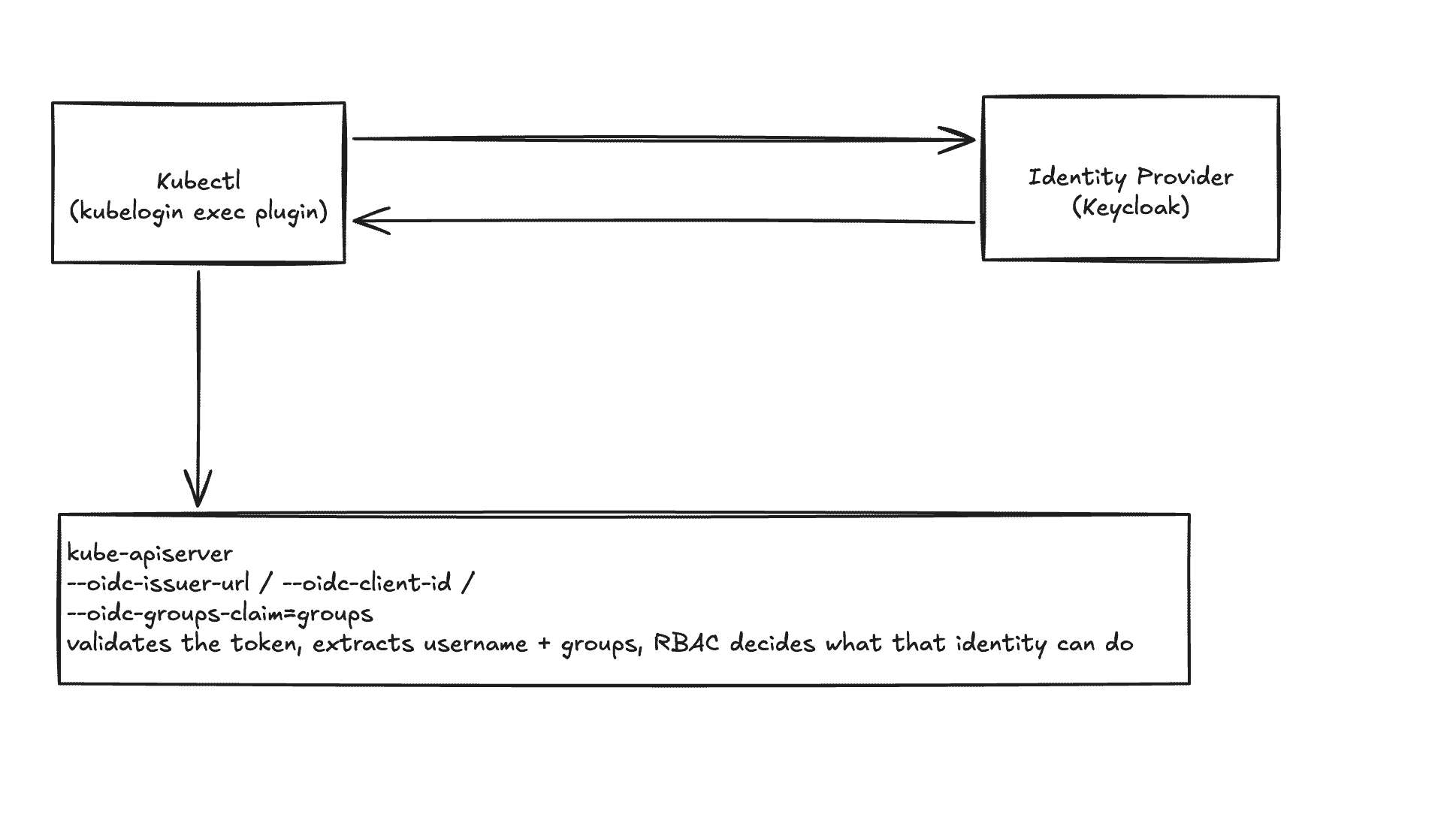
kubectl authenticates against the identity provider, then presents the resulting token to kube-apiserver, which validates it and hands it off to RBAC.
kubectl never talks to the API server first. A kubectl exec-credential plugin (kubelogin, also distributed as “kubectl oidc-login”) intercepts the request, drives the browser-based login against the IdP, and hands the resulting ID token back to kubectl as a bearer credential. The API server validates that token directly against the IdP’s public signing keys. It never needs network access to the IdP itself beyond fetching those keys once.
The client configuration decision that matters
Configure this client as public, not confidential. A confidential client issues a client secret, which then gets pasted into the kubelogin plugin config, and ships to every machine that needs cluster access.
A secret that has to be distributed to every client that uses it isn’t functioning as a secret. It’s a shared static credential with extra steps, and rotating it means a coordinated config push to every machine rather than disabling one compromised identity.
OAuth 2.1 already settles this for native and command-line applications. Make the client public. Issue no secret at all. Use PKCE (Proof Key for Code Exchange) instead, which stops anyone who intercepts the authorization code from redeeming it. PKCE works by having the client generate a random value locally, send a hash of it with the initial login request, then prove possession of the original value when exchanging the code for a token. An interceptor holding only the code can’t complete that proof.
The client, in Keycloak’s admin console, ends up configured as:
- Client ID:
kubernetes - Client authentication: Off (public client, no secret issued)
- Standard flow: On
- Direct access grants: Off
- Require PKCE: On, method S256
- Valid redirect URIs:
http://127.0.0.1:*andhttp://localhost:*(loopback only, nothing external) - Web origins:
http://127.0.0.1:*andhttp://localhost:* - Client scopes:
openid, profile, email, groups
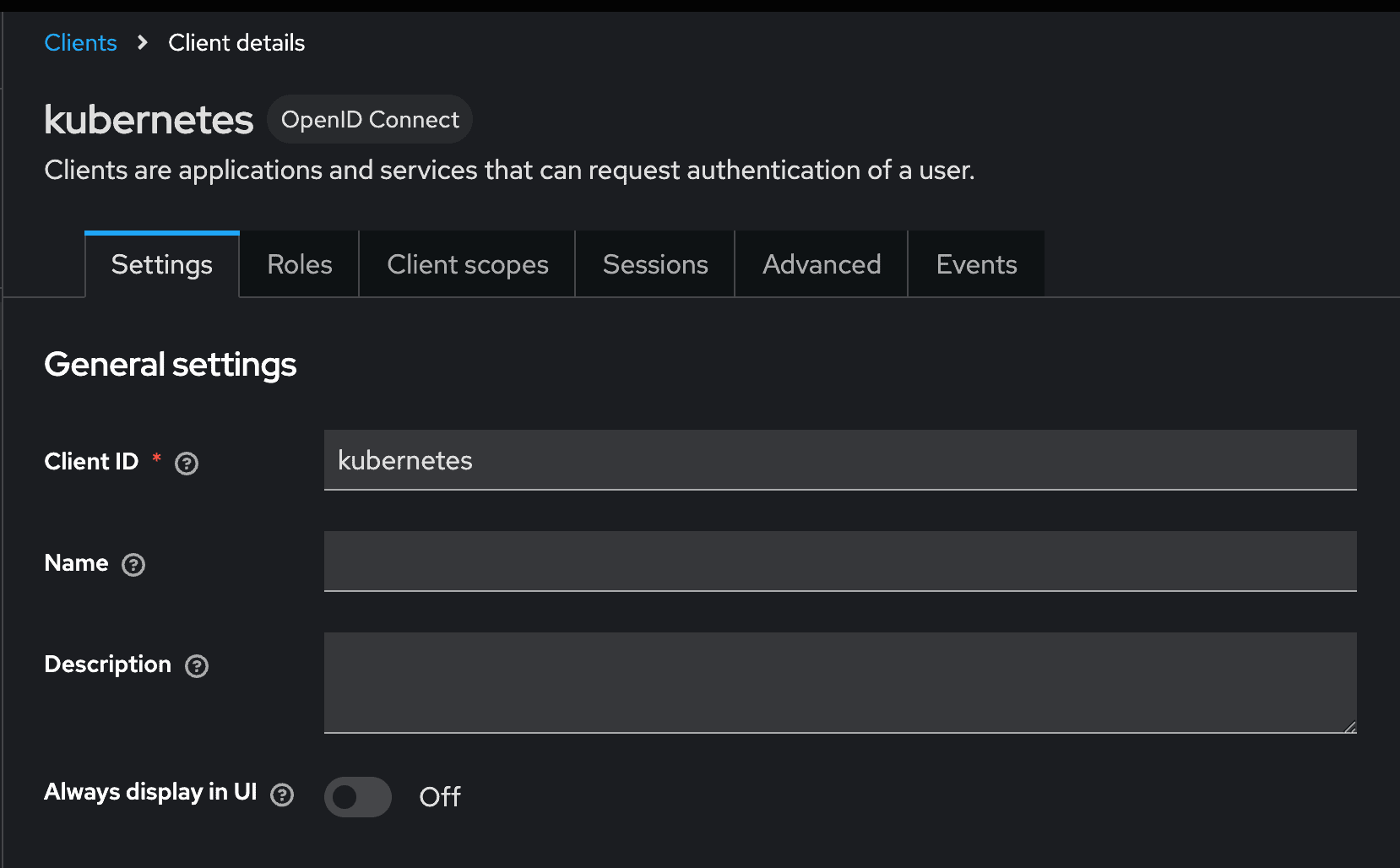
General settings: the Kubernetes client, registered as OpenID Connect
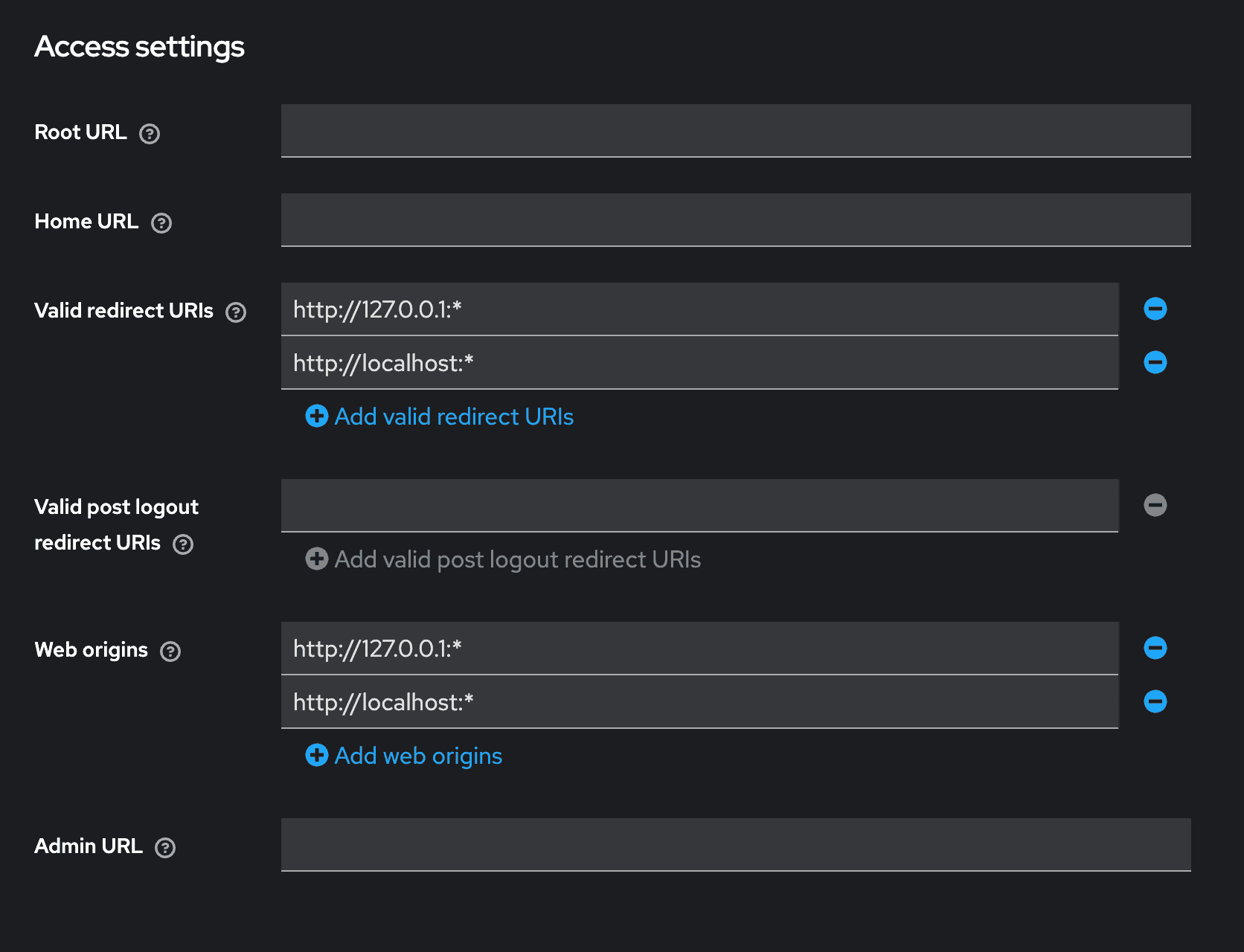
Access settings: redirect URIs and web origins locked to loopback only
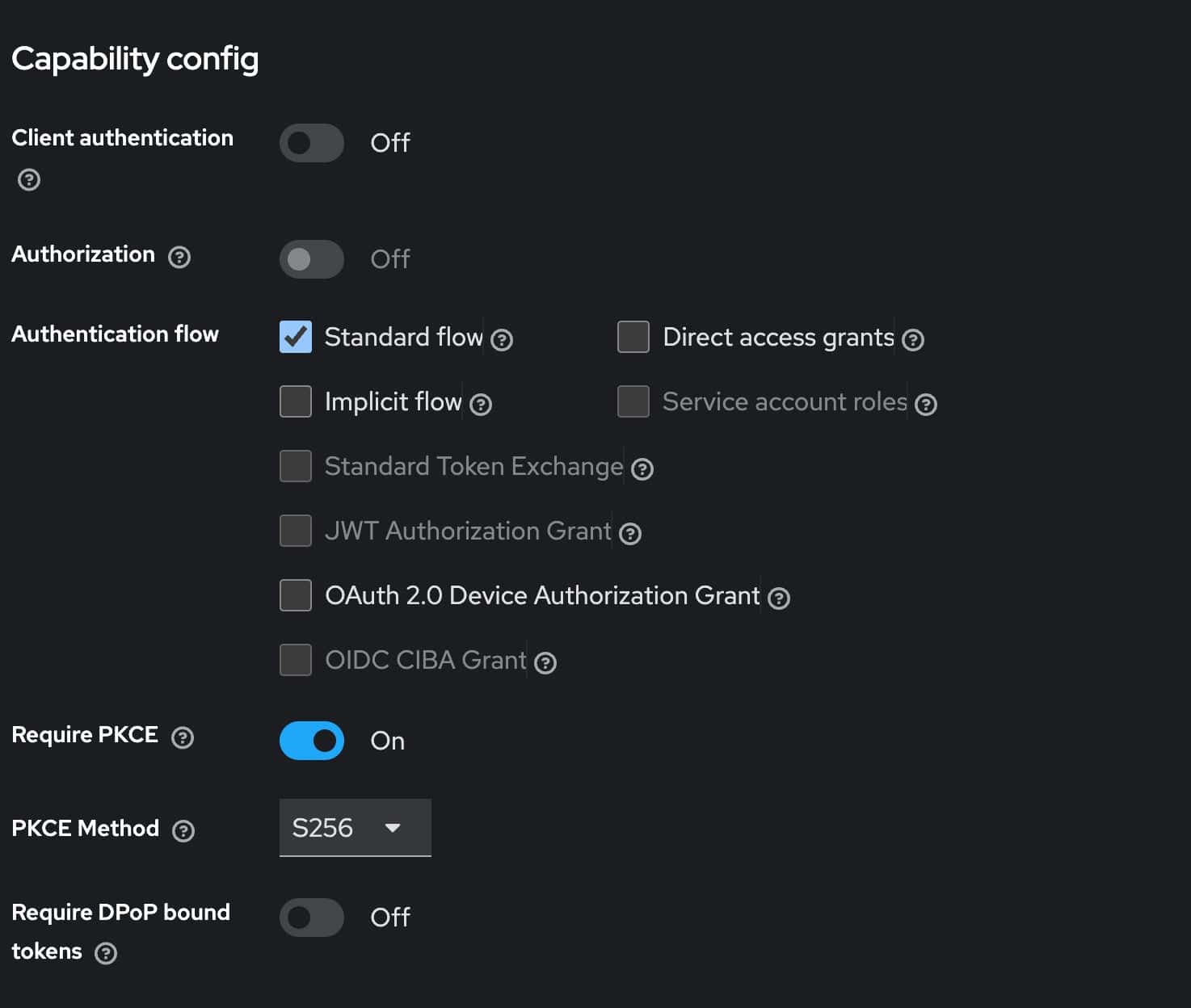
Capability config: Client authentication Off, Standard flow, Require PKCE On (S256)
Deployment walkthrough
1. Add the groups claim mapper
Kubernetes has no concept of “users” as a first-class object. RBAC binds to usernames and groups asserted by the token, so the IdP needs to actually put group membership into the ID token. “In Keycloak”is a protocol mapper on the client scope, of type Group Membership, mapped to the claim name groups.
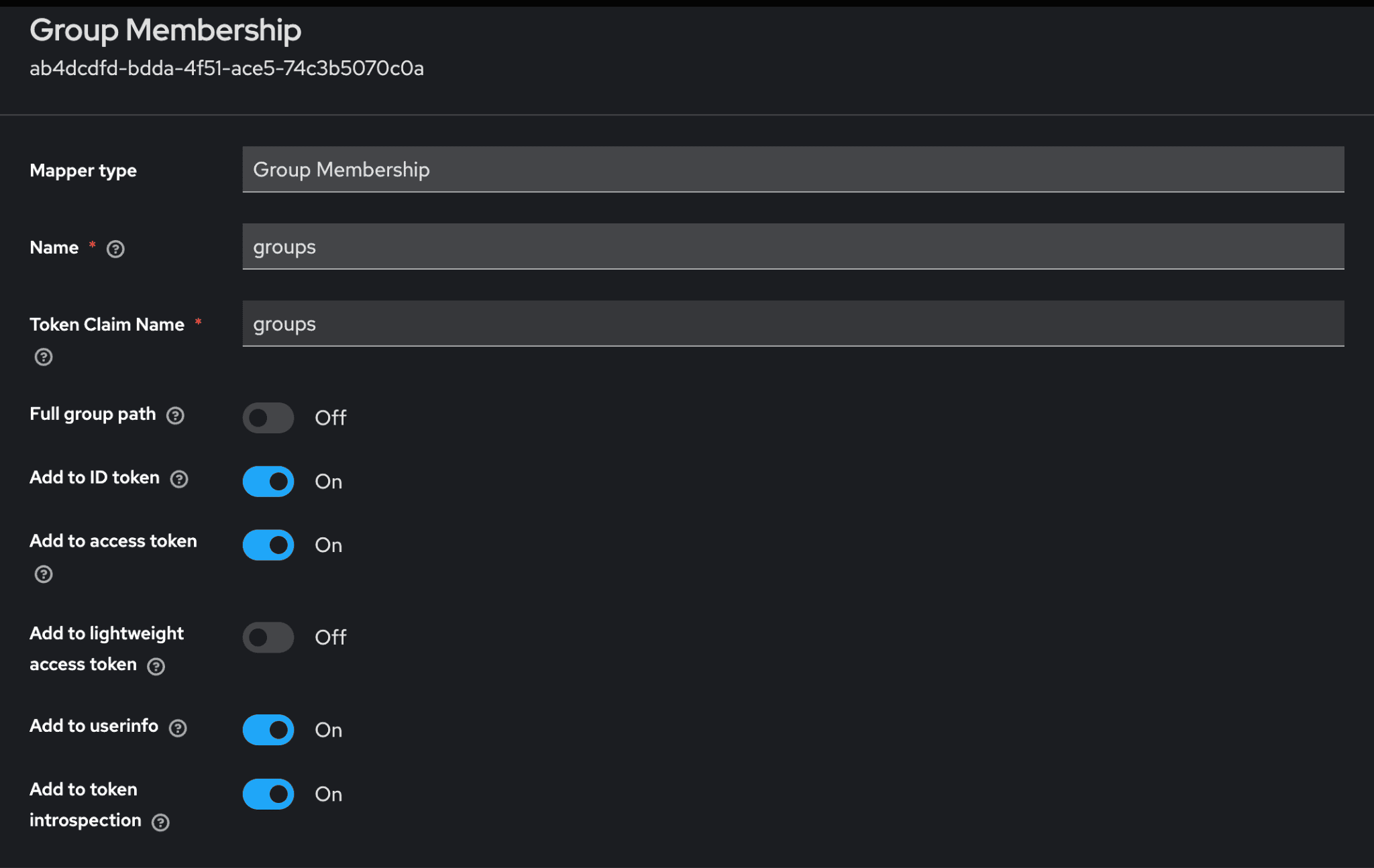
Group Membership mapper on the realm-level ‘groups’ client scope: Token Claim Name ‘groups’, Add to ID token On
2. Point kube-apiserver at the issuer
--oidc-issuer-url=https://<your-keycloak-host>/realms/<realm>
 --oidc-client-id=kubernetes
 --oidc-username-claim=preferred_username
 --oidc-groups-claim=groups
If Keycloak’s certificate isn’t signed by a publicly trusted CA (the common case for a self-hosted) on-prem identity provider, add one more flag pointing at that CA’s certificate:
--oidc-ca-file=/etc/kubernetes/pki/oidc-ca.crtThe API server needs to trust this connection to fetch the issuer’s signing keys. Without it, OIDC authentication fails with a TLS verification error that has nothing to do with the login flow itself, which makes it a confusing one to debug the first time you hit it.
3. Configure the kubectl side
kubeconfig gets an exec-credential entry instead of embedded certs or a static token:
users:
 - name: oidc
   user:
 	exec:
   	apiVersion: client.authentication.k8s.io/v1
   	command: kubectl
   	args:
     	- oidc-login
     	- get-token
     	- --oidc-issuer-url=https://<your-keycloak-host>/realms/<realm>
     	- --oidc-client-id=kubernetes
No secret field. There’s nothing to put there.
4. Bind groups to RBAC
apiVersion: rbac.authorization.k8s.io/v1
 kind: ClusterRoleBinding
 metadata:
   name: platform-viewers
 subjects:
   - kind: Group
 	name: platform-viewer
 	apiGroup: rbac.authorization.k8s.io
 roleRef:
   kind: ClusterRole
   name: view
   apiGroup: rbac.authorization.k8s.io
Access changes now happen entirely in the IdP. Add someone to the platform-viewer group, and the next token they mint carries that group. The binding above applies immediately. No cluster-side change. No new kubeconfig to distribute.
Try it out
Using kubelogin as the exec plugin, a first login looks like this from the terminal:
$ kubectl get pods
 Opening in existing browser session.
 NAME                    	READY   STATUS    RESTARTS   AGE
 web-7f9c9c4d8-2xk9p     	1/1 	Running   0      	3d
The first call opens a browser window against the IdP; every call after that reuses the cached token until it expires, at which point kubelogin silently uses the refresh token to get a new one without another browser round-trip.
To confirm what identity and groups actually landed in the token:
$ kubectl auth whoami
ATTRIBUTE   VALUE
 Username	jane.doe@example.com
 Groups  	[platform-viewer system:authenticated]
The bottom line
None of this requires reworking how the cluster runs. It is a public OIDC client, one group membership mapper, a handful of RBAC bindings, and a kubectl plugin many engineers already have installed for other clusters. The setup cost is a single afternoon, not a platform migration.
What changes is what the cluster gets in return. Access follows group membership in the identity provider instead of a certificate file, so granting or revoking a level of access becomes a group change, not a search for every copy of a file across every laptop. There is a deeper benefit too. Kubernetes can log every request that hits its API server, but that audit trail is only as useful as the identity attached to each entry. A shared kubeconfig authenticating everyone as the same generic identity, often literally ‘cluster-admin’ means every audit log entry says the same thing no matter who actually ran the command. Federate identity through an OIDC provider instead, and every request the API server logs carries the person who actually made it. The audit trail stops being a list of anonymous actions and becomes an actual record of who did what, and it costs far less to set up than most teams assume.